How voters see and recognize your campaign depends on it
Visual identity is essential for building your campaign’s image. And not only that, it has the power to become recognizable, whether through colors, typography, or more customized choices such as graphic elements, collages, and fonts.
All of this is part of visual identity decisions
We know that sometimes it’s not possible to hire a designer (the professional best suited to create and implement a full visual identity) since this work requires specific knowledge to be done in a simple and effective way. That’s why we’ll share tips and tools so you can have autonomy, whether you have prior experience or not.
There are specific design programs that can help with campaign materials. The most well-known are Photoshop, Illustrator, Corel, and Gimp (the latter is open-source software). But those are usually paid and more complex (although complete).
In addition, we now have access to several free tools for creating digital or printed visuals, whether on a laptop or a mobile phone. This is a big advantage that wasn’t so accessible in the past. The Canva app can help us design campaign materials without major difficulties, and its free version is quite robust. At the end of this guide, you’ll find a document with a tutorial on how to use this tool.
What’s more, here at Im.pulsa you can also check the guide “Practical Design for Everyone”, which presents other free tools with useful features for this process.
Not all of us are designers, but we can still get by using free tools that help us produce quick materials for the day-to-day of a campaign.
What’s the downside of using these platforms? They come with ready-made templates that are very attractive. But because they’re free, they’re often widely used. There’s a risk that our materials might look similar to visuals from other sectors – or worse, from other candidates. That’s why making changes is essential.
We’ll try to build a system, along with a simple style guide, to help us when creating communication materials. We’ll do this using the tools we already have and feel most comfortable using.
What is a Style Guide?
It’s a document where we lay out our visual identity by elements – what should be used and what shouldn’t be: logo, fonts, color palette, audiovisual resources. This makes it easier to create materials consistently and by different people in the future.
Here we can find countless examples, some more complex and others simpler. Step by step. Let’s take it slow.
Logo
Comrade, if you’re not a designer, this is the hardest part.
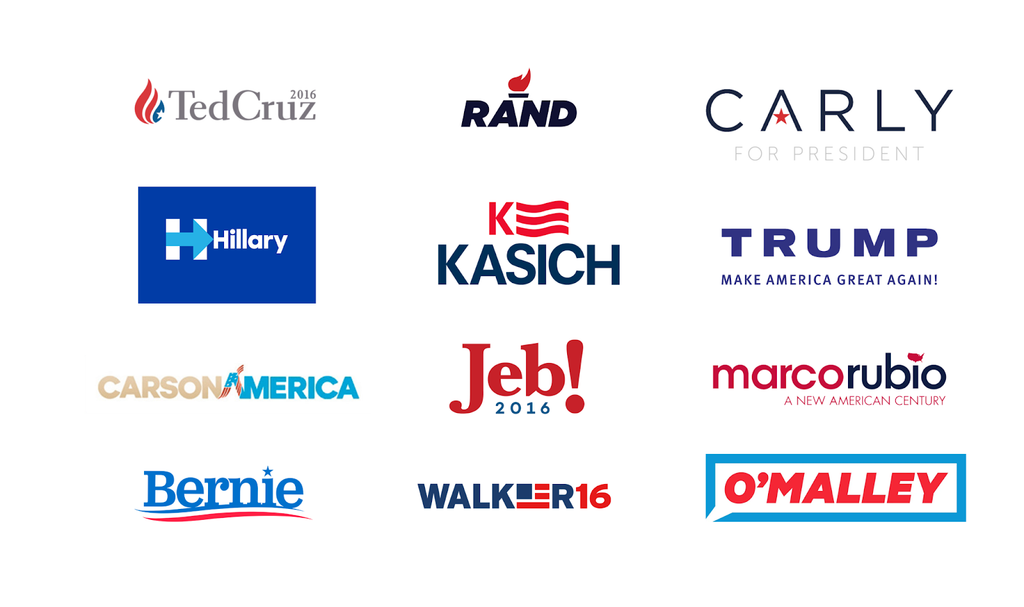
We don’t recommend, under any circumstances, downloading and using “drawings” or “logos” from the internet. They can confuse our identity with others that use the same logo or illustration. If we can’t create one from scratch, we suggest building a logo that’s simply our name in a specific font.
Here are some examples:
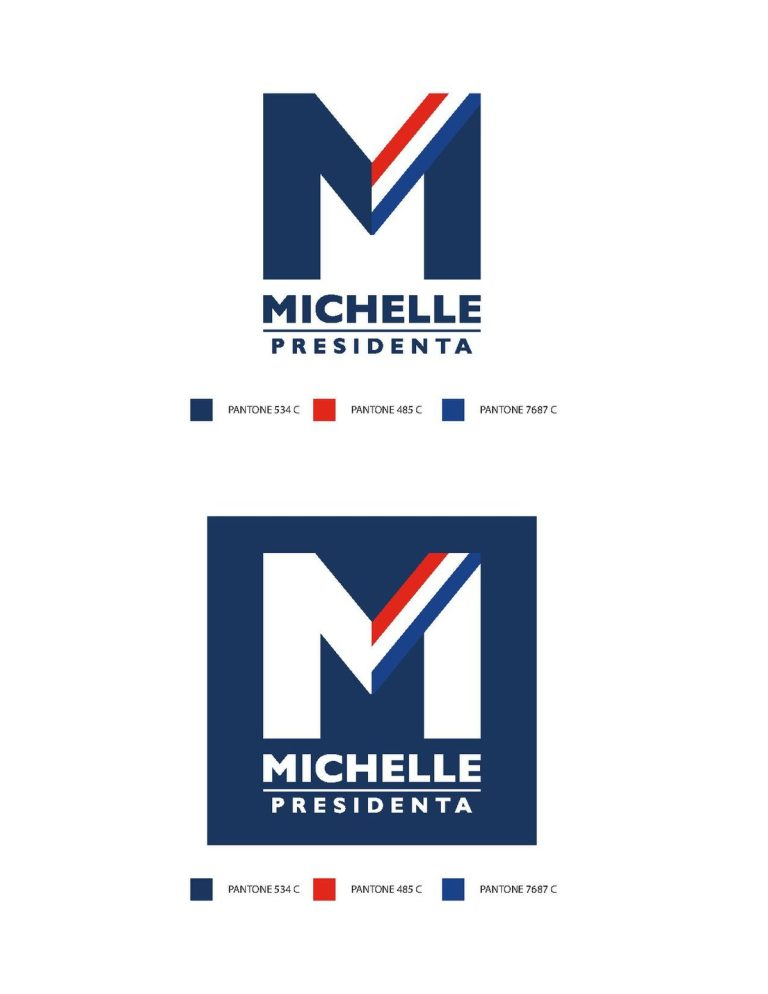
We also have the example of Michelle Bachelet, who created a logo by choosing a typeface and combining it with the Chilean flag. This is easily remembered and identifiable. This is related to the next element that makes up our identity: the fonts.

Fonts
To start building an identity that’s recognizable and allows others to identify us, it’s essential to define and consistently keep the typeface we’ll use across our visual identity. We also need to prioritize the fonts we choose, clearly deciding what each one will be used for.
Google Fonts is a directory of free fonts that can be downloaded and has the advantage of being supported across most devices, formats, programming languages, and screen types. Canva also offers a font library within the app. Each font comes with a description that can help guide our choice, whether it feels modern, whether it’s better for titles, recommended for long texts, suitable for logos, and so on.
Typography is a field of study within graphic design. There are different categories of fonts; here we’ll focus only on the most common ones:
- Serif fonts have decorative extensions at the ends of their strokes. They generally convey tradition, elegance, and seriousness.
- Sans Serif fonts (as the name suggests) don’t have these decorative details and are usually associated with a more modern feel, posters, and visual impact due to their weight.
- Script fonts imitate traditional handwriting or calligraphy.
We don’t recommend using script fonts or fonts with too many “ornaments”. These fonts are often associated with something childish, less serious, and harder to read.
We should always keep legibility in mind: we want to communicate with voters. What we’re saying needs to be read quickly and clearly, especially when it’s being viewed on devices like mobile phones or tablets or across the streets.
We recommend using different fonts strategically and playing with the options each typeface offers. No other fonts should be used in any materials. This allows us to define:
- Font 1, in bold, as the main font (for my name) and the same font in italics to indicate my candidacy.
- A second font for demands, messages, or slogans, as a secondary font.
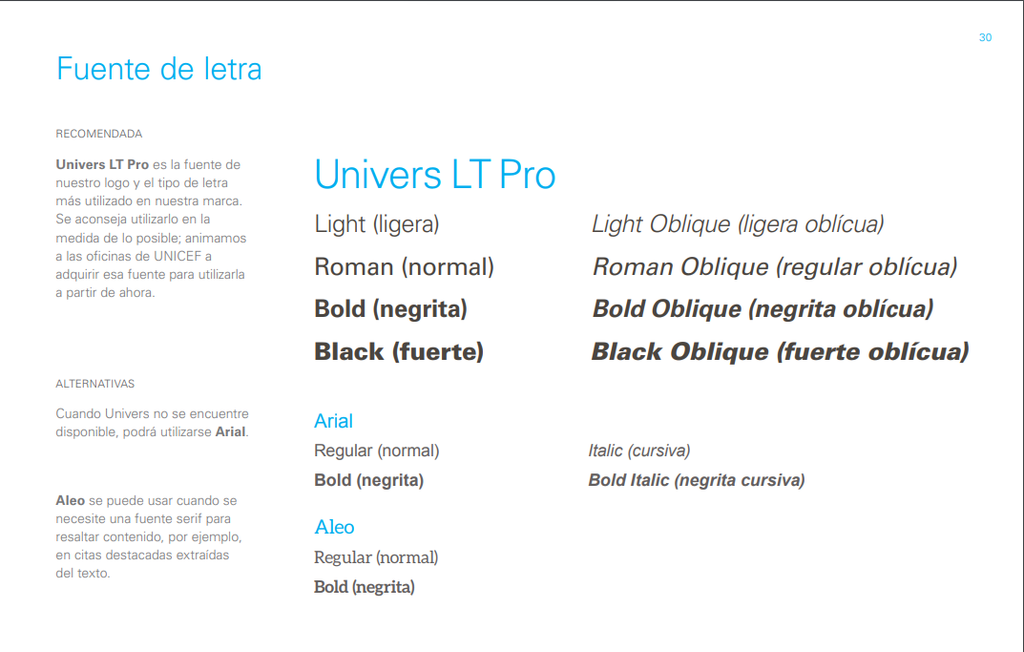
For example, in UNICEF’s Style Guide, the recommendation is to use a single font in its different weights and styles, sometimes adding up to two alternative fonts if there’s a need to highlight specific content.
We already have two elements defined: our logo and our typefaces. How do we build them? You can see this step by step in the graphic design tutorial for your campaign, which you’ll find at the end of this guide. For now, let’s get to more elements you need to complete your visual ID and style guide.

Color palette
The color palette is another key element of our style guide. We can define that our typography will always appear in a specific color, and we also need to decide which colors we’ll never use.
In politics, there are some general rules about the use of color, but context matters a lot. In other words, depending on the region of the world you’re in, these general rules from color theory and color psychology can change somewhat.
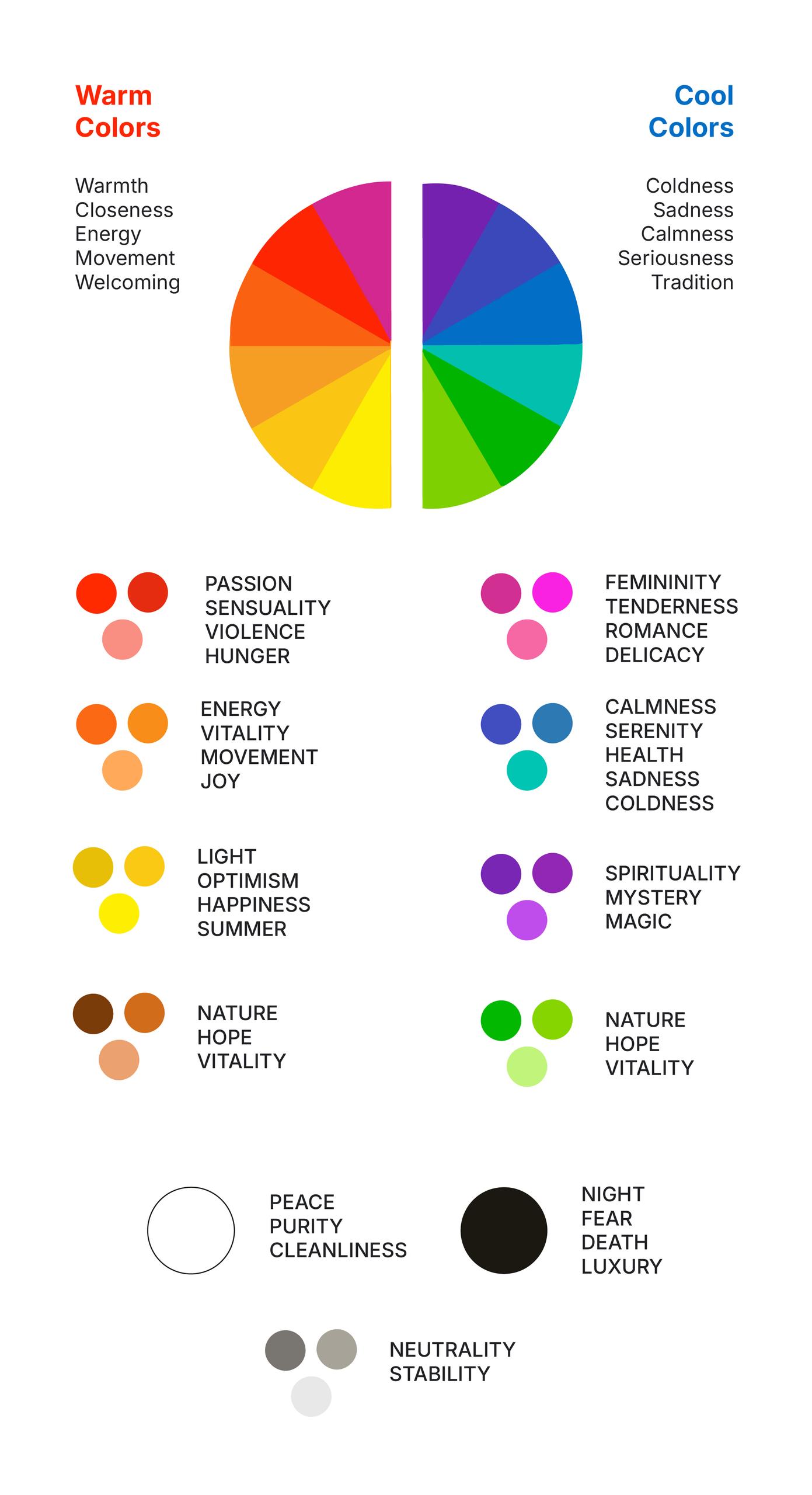
It’s time to make decisions! We need to build a color palette for our visual identity and clearly define on the style guide what’s allowed and what’s not.
If it’s hard for you to come up with a palette, there are online tools that can help, such as color pickers. With them, we can choose a base color and automatically generate a palette, which can be really helpful. Looking up the psychology behind the colors you chose is also good practice.
What we need to copy is the hexadecimal color code (in the digital world, every color has a six-character code made up of numbers and letters). That’s the code we’ll use in Canva.
We can also find mobile apps, like Colors in Harmony and others. Inside Canva itself, there’s also a section with suggested color palettes under “Styles”.

Photography
For this, check the guide Campaign Photos.
How do all these visual identity elements work together when creating a piece?
When we create a visual identity, we include a section in the Style Guide dedicated to specifying references for developing graphic materials.
For example: how much space should exist between elements; what’s allowed and what’s forbidden; text alignment; and how text relates to images, among other things. The more clearly defined this is, the easier it’ll be for us to communicate well and build a strong, consistent system.